Page Types

Page types are the building blocks of the website. They are added to the content tree and connected with widgets to display content on the website pages
How to add Page Types:
To add a page type click the "+" above the content tree. From there you will see a list of page type options for the section of the content tree you have selected.
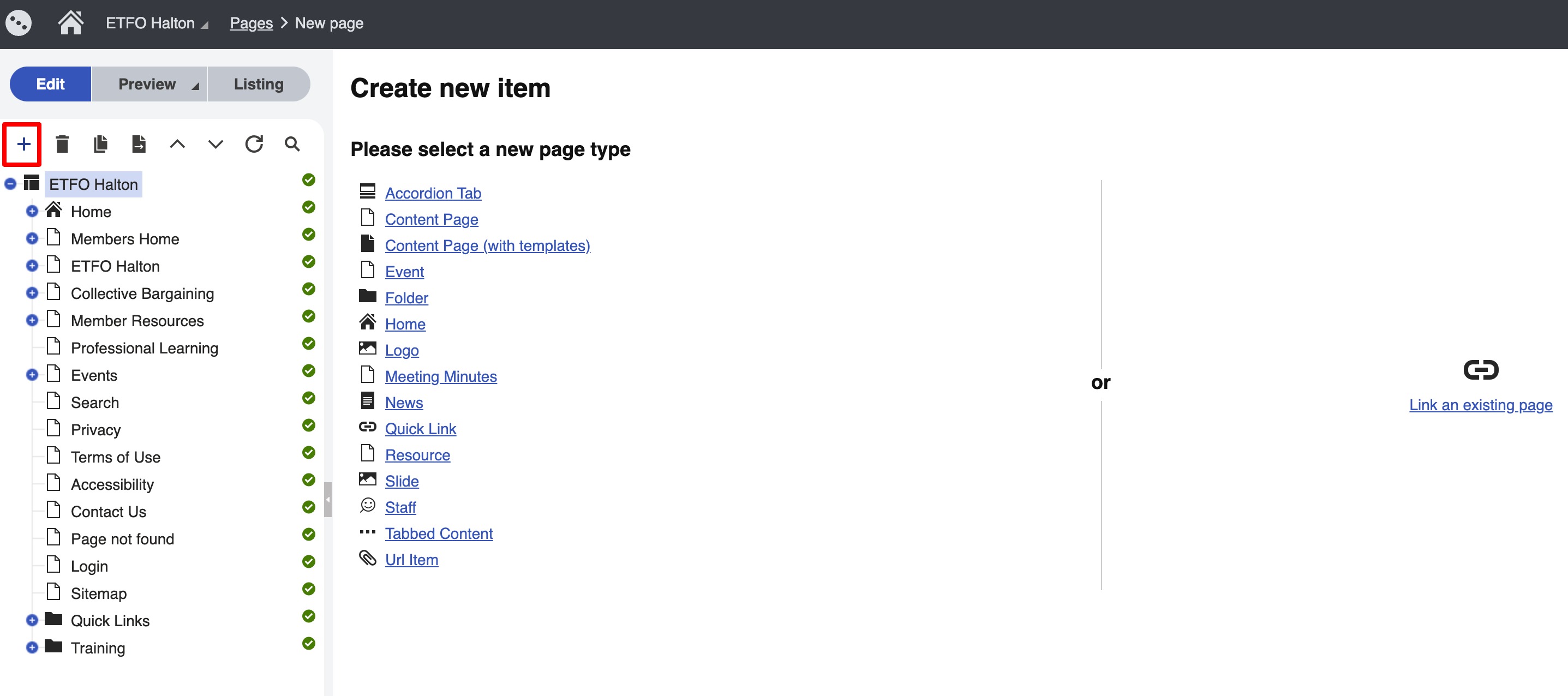
In the example below you can see the options for adding page types to the "Staff" folder. As a general rule you want to organize page types in child folders of the page you want them to display on.
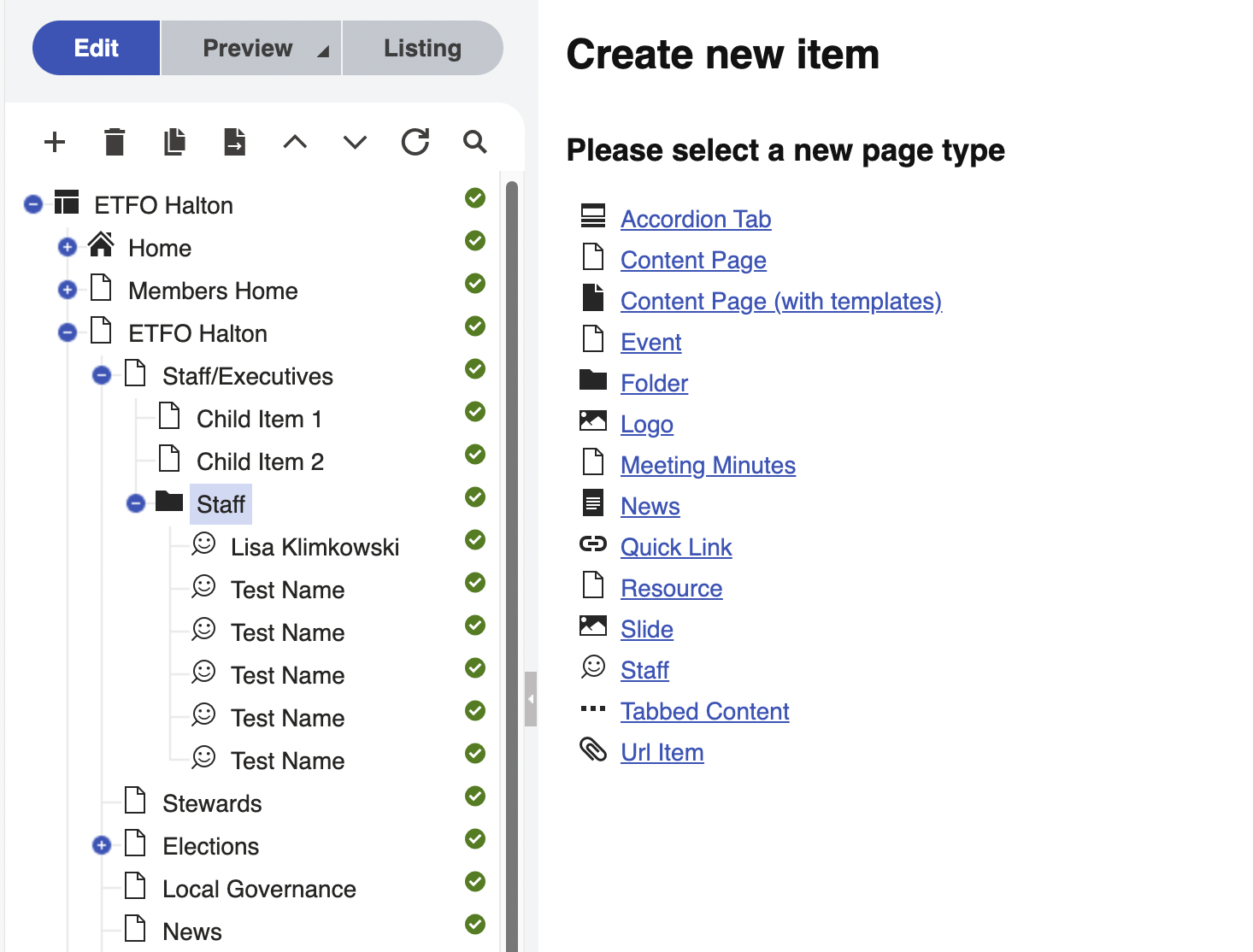
In the following screenshot you can see the "Staff Grid" widget on the " Staff Executives" page that is referencing these "Staff" page types (highlighted):
To connect page types to widgets:
Click the cog wheel you (highlighted in red in the screenshot above) will get a popup and it will ask you to select the path to the page types it is looking for. Select the folder containing the page types.
Page Types and Widgets
Some page types will allow you to create pages ( Content Page, Event, News) while other page types are connected to the site with widgets. Below is a quick reference table to the page types on the site and their usage.
| Page Type | Description |
|---|---|
| Accordion Tab | This page type allows you to add accordion items. Connected with the "Accordion" Widget |
| Content Page | Use this page type to create content pages. |
| Event | Used to create events. This page type connects to the calendar and related events widgets |
| Folder | Use this page type to organize your page types. Best practice is to add this as a child page of the page you want to add page types to. For example, a folder called "Accordion" below the page that has the accordion widget. |
| Logo | Used with the logo listing widget |
| Meeting Minutes | This page type allows you to add meeting minutes to the meeting minutes repository. Thsi is already set up so you just have to navigate to the "meeting minutes" folder and the page types there. |
| News | Used to add a news page |
| Quick link | Used to add links to the top navigation and footer. These pages types are already connected to the site so you just have to go to "Quick Links" in the content tree to edit, add or delete them |
| Slide | Use this page type if you are using the slider widget. |
| Staff | Used to create staff. Connected with the "Staff Grid" widget |
| Tabbed Content | This is used to create tabs. Connected with the "Tabs" widget |
| URL item | This is used to display a link with a purple background. Connected with the "URL item" widget |