Media Libraries Application


What is the Media Libraries Application?
The Media Libraries Application is an application is for organizing files for the website. The application will allow you to organize all your images, PDFs and documents. The application is patched in throughout the website through the WYSIWYG editor in the “Content” tab, as well as through various widgets throughout the website (wherever there is an upload button). This makes it easier to locate files you want to add to pages. The application also exists as a standalone application. When you access to application you will see all the libraries
To access the "Media Libraries" application simply click on the "Media Libraries" card on the dashboard or click on the Kentico logo in the top left of the CMS to open the application menu. From the application menu you can search "Media Libraries" or open it in the "Content Management" section of the menu.
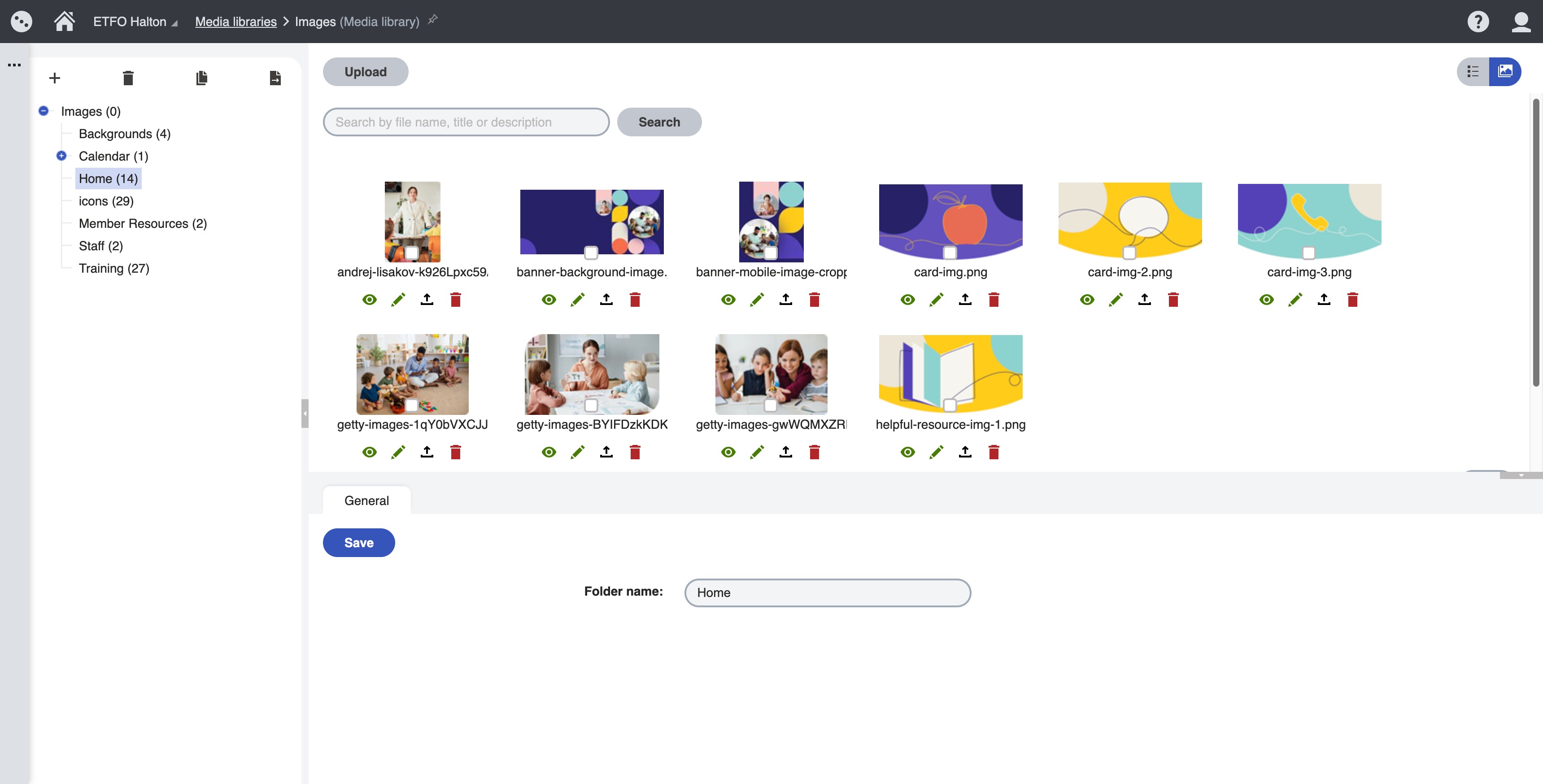
TO ADD AN IMAGE OR FILE
- From within the media libraries application:
- Select library (Images or Documents)
- Select the folder in the left-hand pane (similar to content tree)
- Click “upload” button to upload
- From widgets or content tab of pages application:
- Click on the "select" button next to the image upload
- Select library (Images or Documents)
- Select the folder in the left-hand pane (similar to content tree)
- Click “upload” button to upload